
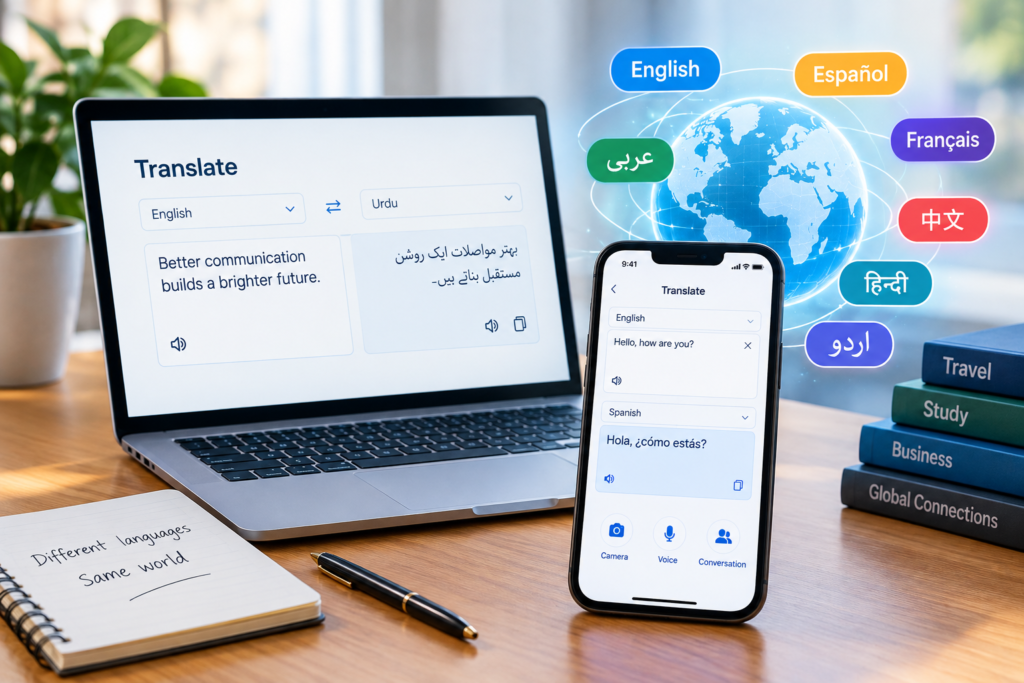
google translate
Google Translate: Features, Benefits, Limitations, and How to Use It Effectively
Language plays an important role in how people communicate, learn, travel, and do business. However, language differences can sometimes make communication difficult. Whether someone is reading a foreign website, studying another language, or communicating with people from different countries, understanding unfamiliar words can be a challenge. This is where Google Translate becomes a useful digital tool. Google Translate is a free translation service developed by Google that helps users translate words, phrases, sentences, documents, and other types of content between languages. Its simple interface and convenient features have made it a popular choice for students, travelers, professionals, and everyday internet users. As digital communication continues to expand, translation tools are becoming increasingly important. Google Translate helps people understand information across language barriers, although it is essential to recognize that automated translations are not always perfect.
What Is Google Translate?
Google Translate is an online translation service that allows users to convert text from one language into another. It is available through a website and mobile applications, making it accessible on computers, smartphones, and tablets. The service supports a wide range of languages and offers several ways to translate information. Users can type text, speak into a microphone, scan printed words with a camera, or translate supported documents. For example, someone who speaks Urdu but needs to understand an English article can enter the text into Google Translate and receive an Urdu translation. Similarly, a traveler visiting another country can use the app to understand signs, menus, and basic conversations. The service relies on artificial intelligence and machine learning technologies to generate translations. Instead of simply replacing individual words, modern translation systems attempt to understand the relationships between words and the context of a sentence.
Key Features of Google Translate
One of the main reasons people use Google Translate is its collection of practical features. These tools support different situations, from quick word translations to understanding foreign-language text in the real world.
1. Text Translation
Text translation is one of the most commonly used features. Users can enter a word, sentence, paragraph, or longer passage and select the language they want to translate it into. This feature can help students understand unfamiliar vocabulary, readers explore foreign-language content, and professionals understand the general meaning of messages received from international contacts. However, long or complicated passages may require additional review because the original meaning, tone, or cultural context can sometimes be lost.
2. Voice Translation
Google Translate supports voice input, allowing users to speak into a device instead of typing every word. The service can recognize supported spoken languages and translate the recognized speech into another language. This feature can be particularly useful while traveling, asking for directions, or communicating with someone who speaks a different language. The accuracy of voice translation may depend on pronunciation, background noise, speaking speed, and the language being used.
3. Camera Translation
The camera translation feature allows users to point a compatible smartphone camera at printed text and view a translation. Depending on the feature and device, users may also be able to translate text in an existing photograph. This can be useful when reading restaurant menus, street signs, product labels, instruction manuals, and notices written in another language. Camera translation is especially helpful when typing the original text would take too much time. Clear images and readable text generally produce better results.
4. Offline Translation
Google Translate offers downloadable language packs for supported offline translation. After downloading the required languages, users can translate certain types of text without an active internet connection. This feature is valuable for travelers who may not have reliable mobile data or people who need translation while commuting. Offline capabilities can differ from online features, so users should download the necessary language packs before traveling or entering an area with limited connectivity.
5. Website and Document Translation
Google Translate can help users understand content from foreign-language websites and supported documents. Website translation options may vary depending on the browser, device, and available tools. For students and researchers, this can make international information easier to explore. Businesses may also use translation tools to understand general information from overseas markets. Nevertheless, important documents such as legal agreements, official certificates, and professional contracts should be reviewed by a qualified translator when accuracy is essential.
6. Conversation Translation
Conversation-related features can help two people communicate when they speak different languages. Depending on the languages and device, Google Translate can assist with recognizing speech and displaying translated text. This can make basic conversations easier during travel, meetings, and everyday interactions. However, users should speak clearly, use relatively short sentences, and confirm important details rather than assuming every translated statement is completely accurate.
How Does Google Translate Work?
Google Translate uses artificial intelligence and machine learning to analyze language and generate translations. Its neural machine translation technology considers patterns and relationships across phrases and sentences instead of relying exclusively on direct word-for-word substitutions. When a user submits text, the system processes the language and produces a translation in the selected target language. The result is influenced by the available training data, language characteristics, context, and complexity of the original content. For example, a common English greeting may translate naturally into another language. However, a joke, idiom, regional expression, or sentence with multiple possible meanings can be more difficult to interpret correctly. Languages also have different grammatical structures. A sentence that sounds natural in English may need a different word order or expression to sound natural in Urdu, Spanish, Arabic, or another language. Although artificial intelligence has improved automated translation, human communication includes cultural references, emotions, humor, and implied meanings that machines may not always understand.
Benefits of Using Google Translate
Google Translate offers several advantages that make it useful in everyday life.
Easy Access
The service is straightforward to use and is available through its website and mobile apps. Most users can begin translating without needing advanced technical knowledge.
Support for International Communication
Translation tools help people understand information written in languages they do not speak. This can make online communication, travel, and international collaboration more convenient.
Helpful for Students
Students can use Google Translate to understand unfamiliar vocabulary, explore foreign-language reading materials, and compare translations while studying. It is most effective as a learning aid rather than a replacement for studying grammar, vocabulary, and sentence structure.
Convenient for Travelers
Travelers can use text, voice, and camera translation to understand basic information in unfamiliar environments. These features can reduce communication difficulties when asking simple questions or reading signs.
Saves Time
Translating short messages or checking the meaning of a phrase can take only a few moments. This convenience is valuable when users need to understand general information quickly.
Supports Content Discovery
The internet contains useful information in many languages. Google Translate can help readers explore articles, websites, and educational resources that might otherwise be difficult to understand.
Limitations of Google Translate
Despite its benefits, Google Translate has limitations that users should understand.
Translations Are Not Always Accurate
Automated translations can misunderstand ambiguous sentences, uncommon words, technical expressions, or poorly written text. A translation may appear grammatically correct while still changing the original meaning.
Cultural Context Can Be Lost
Idioms, jokes, sarcasm, and culturally specific expressions often require more than a literal translation. The translated result may not communicate the same feeling or intention as the original.
Professional Writing Requires Care
Marketing materials, academic writing, business proposals, and formal correspondence often require attention to tone and style. A machine-generated translation may need editing to sound natural and professional.
Privacy Should Be Considered
Users should be careful when submitting confidential business information, personal records, financial details, or sensitive documents to online translation services. Review the relevant privacy terms and avoid entering information that you are not authorized to share.
Not a Substitute for Certified Translation
Official documents may require a certified or otherwise authorized translation, depending on the organization and jurisdiction. Google Translate should not be assumed to satisfy these requirements.
Google Translate vs. Human Translation
Both automated tools and professional translators can be useful, but they serve different purposes. Google Translate is convenient for quick translations, everyday communication, and understanding the general meaning of foreign-language content. It is particularly useful when speed and accessibility matter. Human translators can provide greater attention to context, cultural meaning, terminology, tone, and intended audience. They are especially important for legal, medical, literary, and other high-stakes materials. For everyday tasks, automated translation may be sufficient. For important content, a practical approach is to use machine translation as a starting point and have a knowledgeable person review the result.
Tips for Getting Better Results From Google Translate
A few simple practices can help users get more useful translations.
- Use complete sentences: Providing the full sentence can give the translation system more context than entering a single isolated word.
- Check the source language: Make sure the original language is selected correctly, particularly when working with similar languages or unfamiliar scripts.
- Keep sentences clear: Short, direct sentences are generally easier to translate than complicated sentences containing several ideas.
- Review alternative meanings: Some words have multiple meanings. Check the surrounding context before choosing a translation.
- Verify important information: Review names, dates, measurements, technical terms, and instructions carefully.
- Learn from the results: Compare the original text with the translation to understand vocabulary and sentence structure instead of copying translations without reviewing them.
- Ask a fluent speaker when necessary: For important communications, a person who understands both languages can identify mistakes that an automated tool might miss.
Is Google Translate Free to Use?
Google Translate is generally available as a free consumer translation service through its website and mobile applications. Users can access many of its everyday translation features without paying a subscription fee. However, separate Google products, developer services, or business integrations may have different pricing arrangements. Users should check the relevant official service information if they need translation for a commercial application or automated business workflow.
The Future of Online Translation
Artificial intelligence continues to influence how people interact with languages. Translation systems are becoming more integrated into digital communication, online learning, travel applications, and international business tools. Future developments may improve speech recognition, contextual understanding, and the handling of complex conversations. Better integration between text, voice, and visual information may also make translation more convenient. However, language is deeply connected to culture, identity, and human experience. Even as technology advances, careful review and human understanding will remain important when the precise meaning of a message matters.
Frequently Asked Questions (FAQs)
1. What is Google Translate used for?
Google Translate is used to translate text, speech, supported documents, and visual text between languages. It helps users understand foreign-language information and communicate across language barriers.
2. Does Google Translate work offline?
Yes. Users can download supported language packs for certain offline translation features. The available functions may differ from those offered with an internet connection.
3. Can Google Translate translate pictures?
Yes. Its mobile camera features can translate supported text in images, including signs, menus, and printed materials. Results depend on image quality and text readability.
4. Is Google Translate always accurate?
No. It can produce useful translations, but it may misunderstand context, idioms, technical terminology, or complex sentences. Important translations should be reviewed.
5. Can students use Google Translate for learning?
Yes. Students can use it to understand unfamiliar words, compare sentence structures, and explore foreign-language materials. They should also practice the language and follow their school’s academic rules.
6. Is Google Translate suitable for professional documents?
It can help users understand the general meaning of professional documents. However, legal, medical, financial, and official documents may require review by a qualified translator.
7. Can Google Translate help people communicate while traveling?
Yes. Text, voice, camera, and supported conversation features can help travelers understand signs, menus, directions, and basic spoken communication.
Final Thoughts
Google Translate has made language translation more accessible for people around the world. From understanding foreign-language websites to communicating during travel, it offers convenient tools for overcoming everyday language barriers. Its combination of text, voice, camera, and offline translation features makes it useful for students, travelers, professionals, and general internet users. At the same time, users should remember that automated translations can contain mistakes and may not fully capture cultural meaning or context. The best approach is to use Google Translate as a practical assistant while checking important information and seeking professional help when accuracy is essential. Used thoughtfully, it can make digital information easier to access and communication across languages more convenient.
At feedbuzzardmag, we explore useful digital tools, emerging technology, and online resources that help readers navigate an increasingly connected world. Google Translate is one example of how technology can make everyday digital experiences more accessible.